
A7 ChatDesk
One WhatsApp number. Your whole team. Every chat answered.
A shared WhatsApp inbox with a built-in CRM: every message becomes a contact and a conversation that your team, an automation or an AI agent can answer, with deals, broadcasts and live reporting right next to the chat.
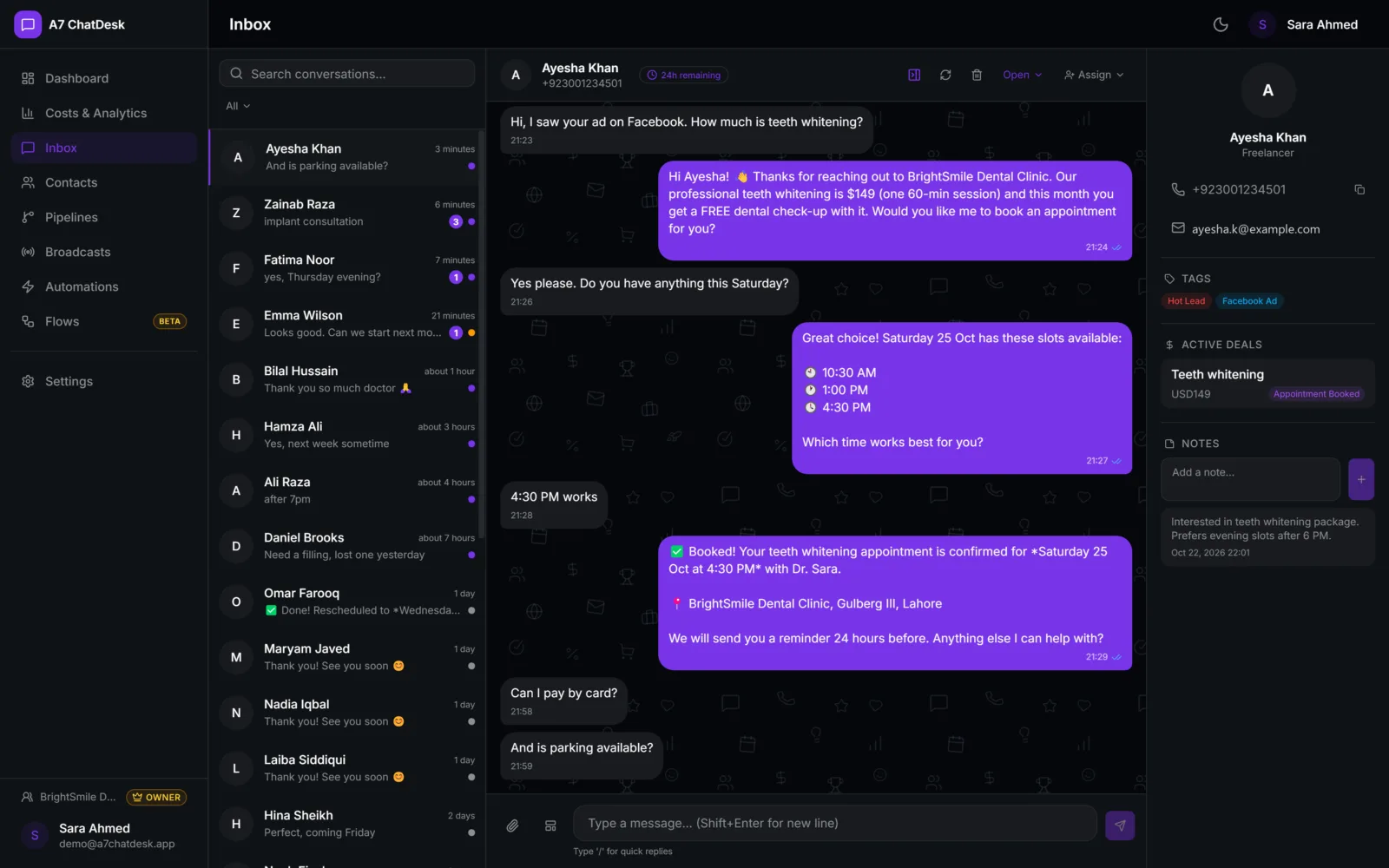
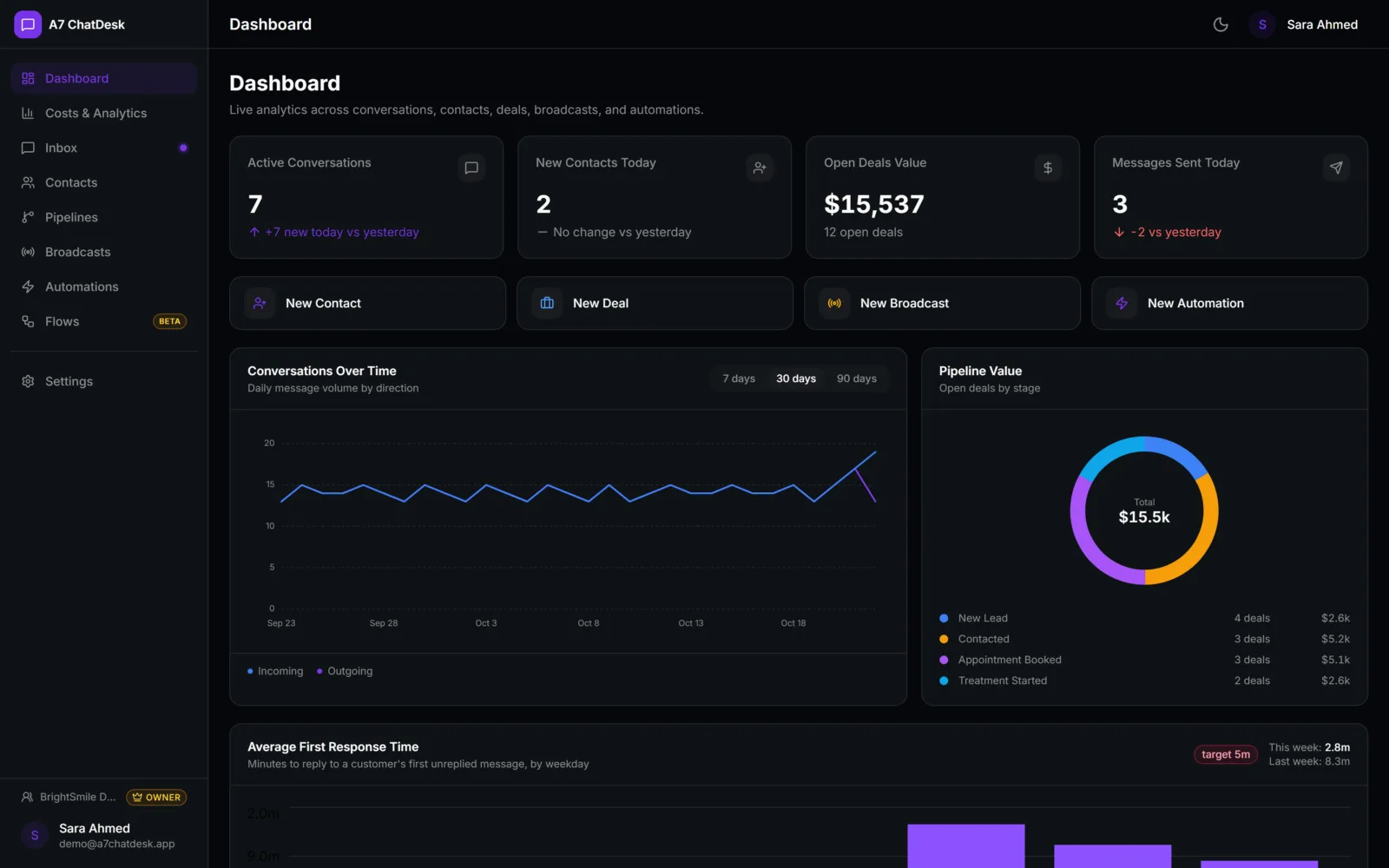
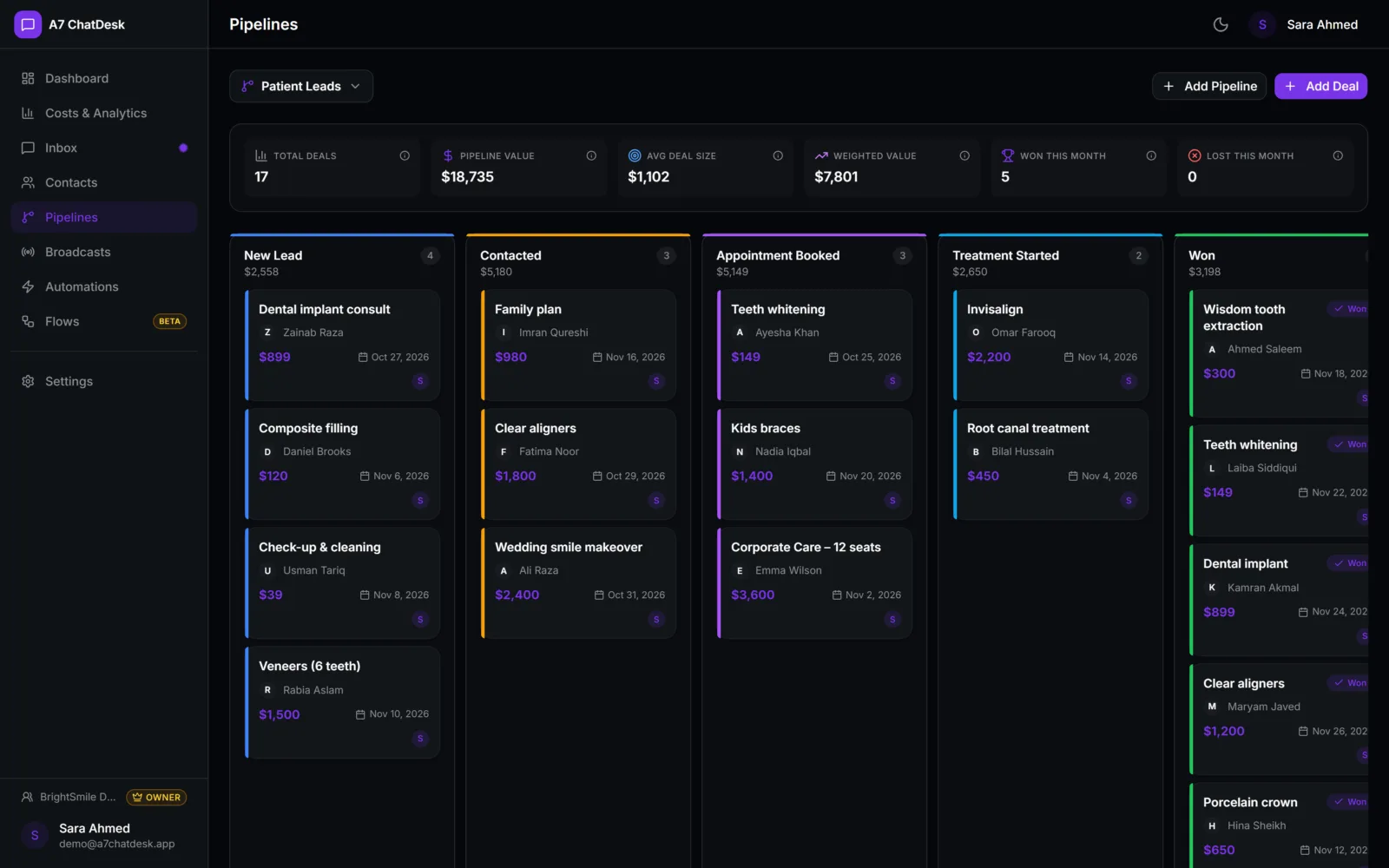
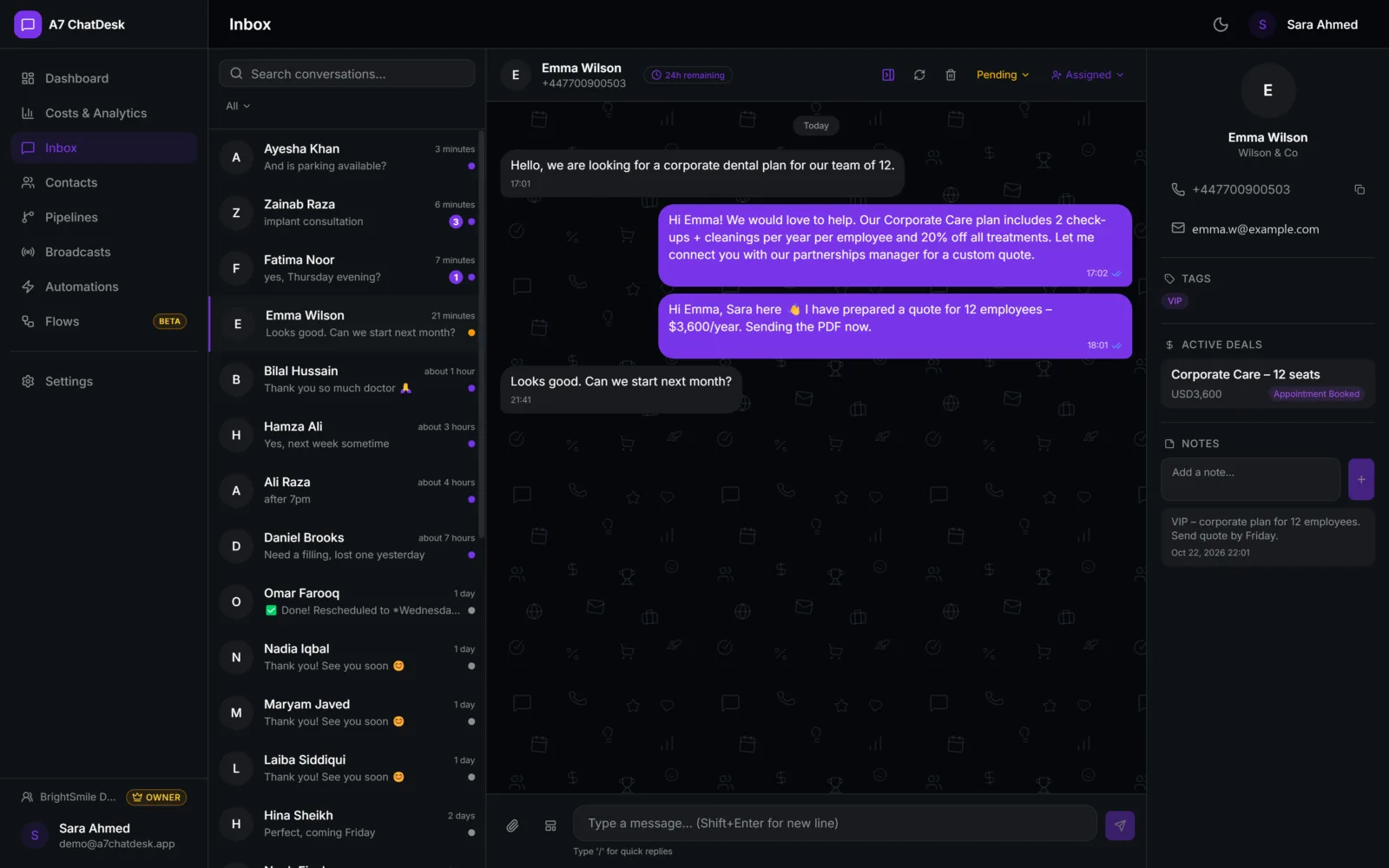
Before & after
How A7 ChatDesk helps you
- Customer chats spread across staff phonesOne shared WhatsApp inbox for the whole team
- Leads forgotten after the first replyEvery chat linked to a contact and a deal
- Typing the same answers all dayQuick replies, automations and an AI agent
Team inbox
Assign chats, see who is online and reply as one team.
AI replies
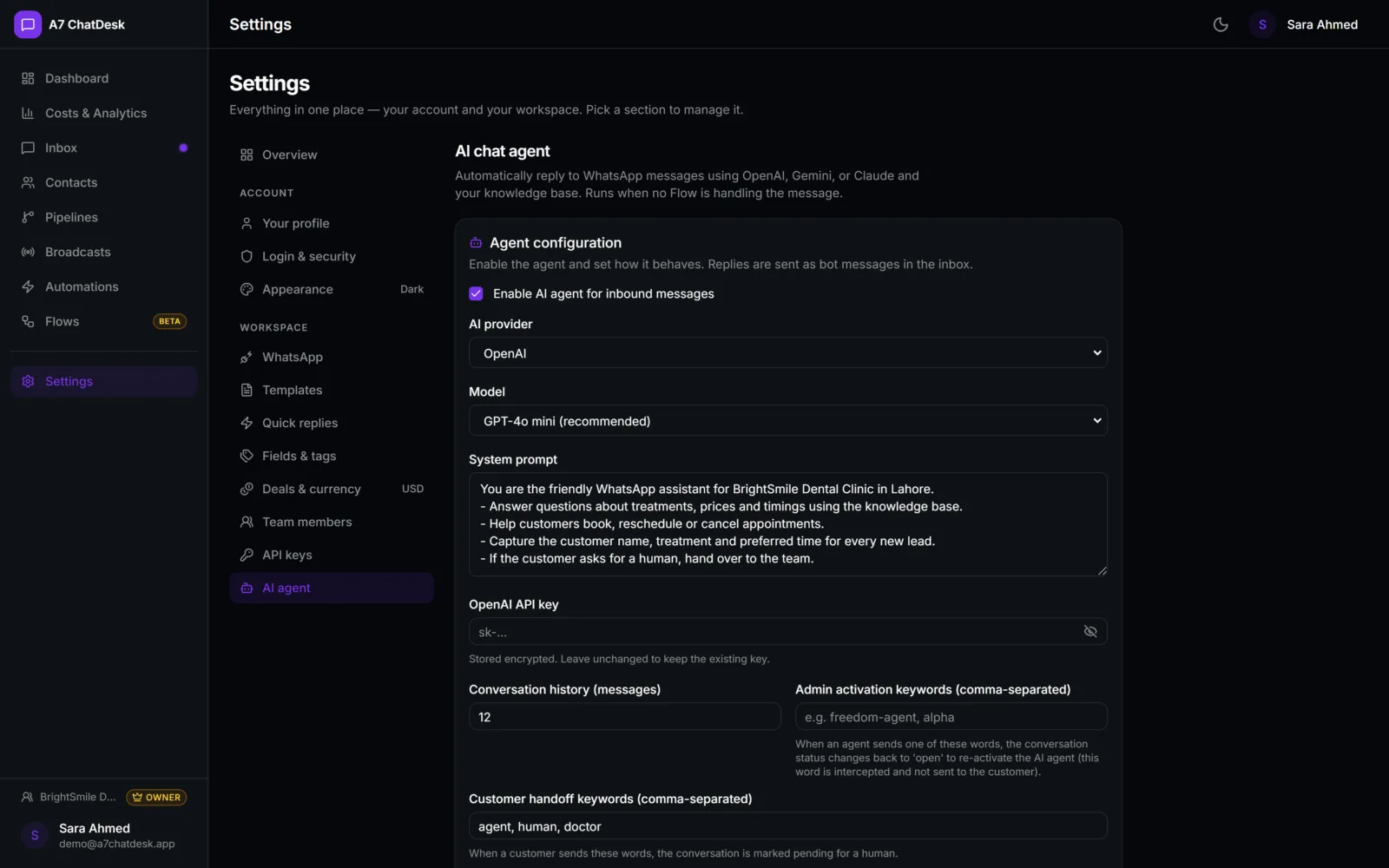
An AI agent answers open chats from your own documents.
Broadcasts
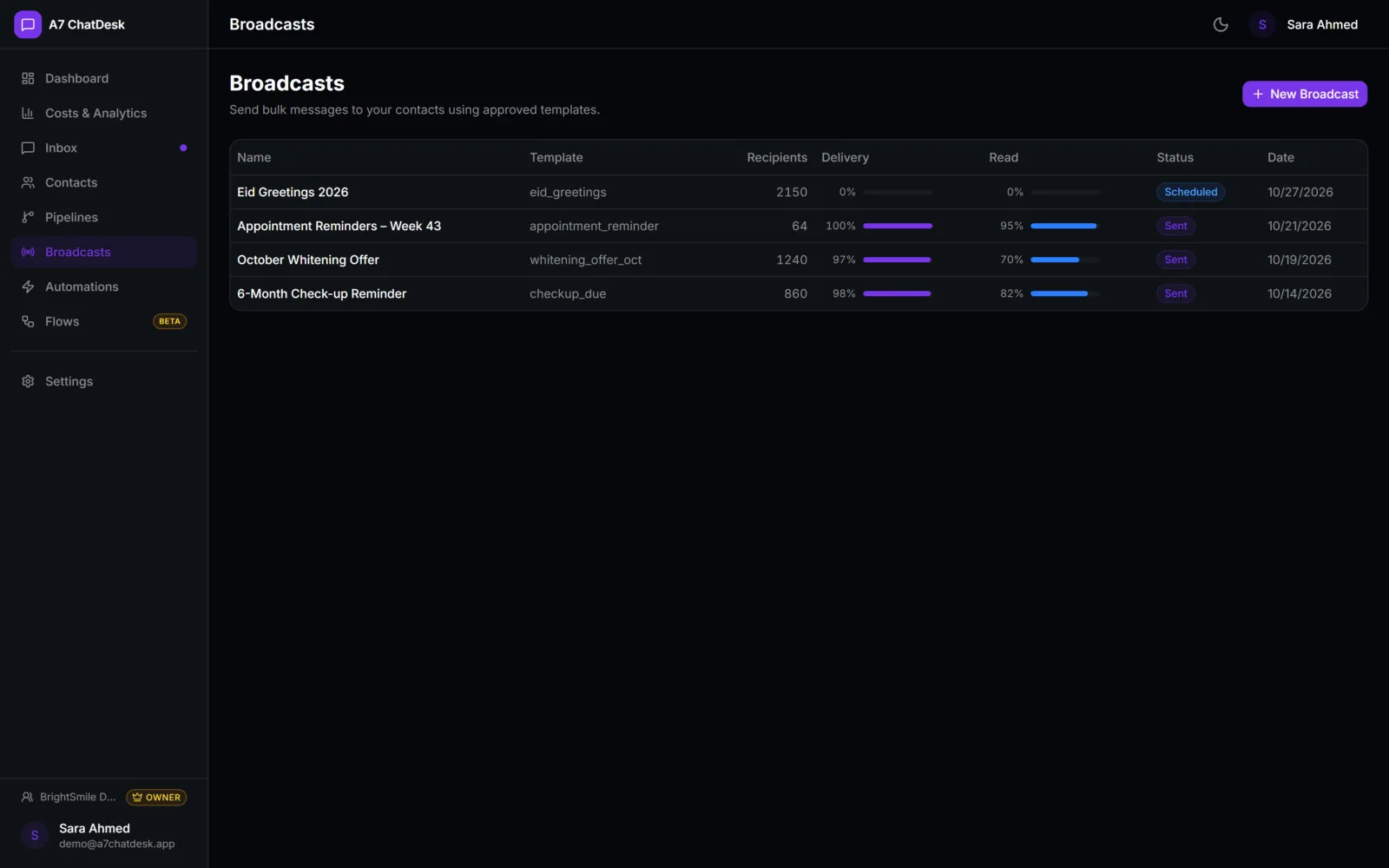
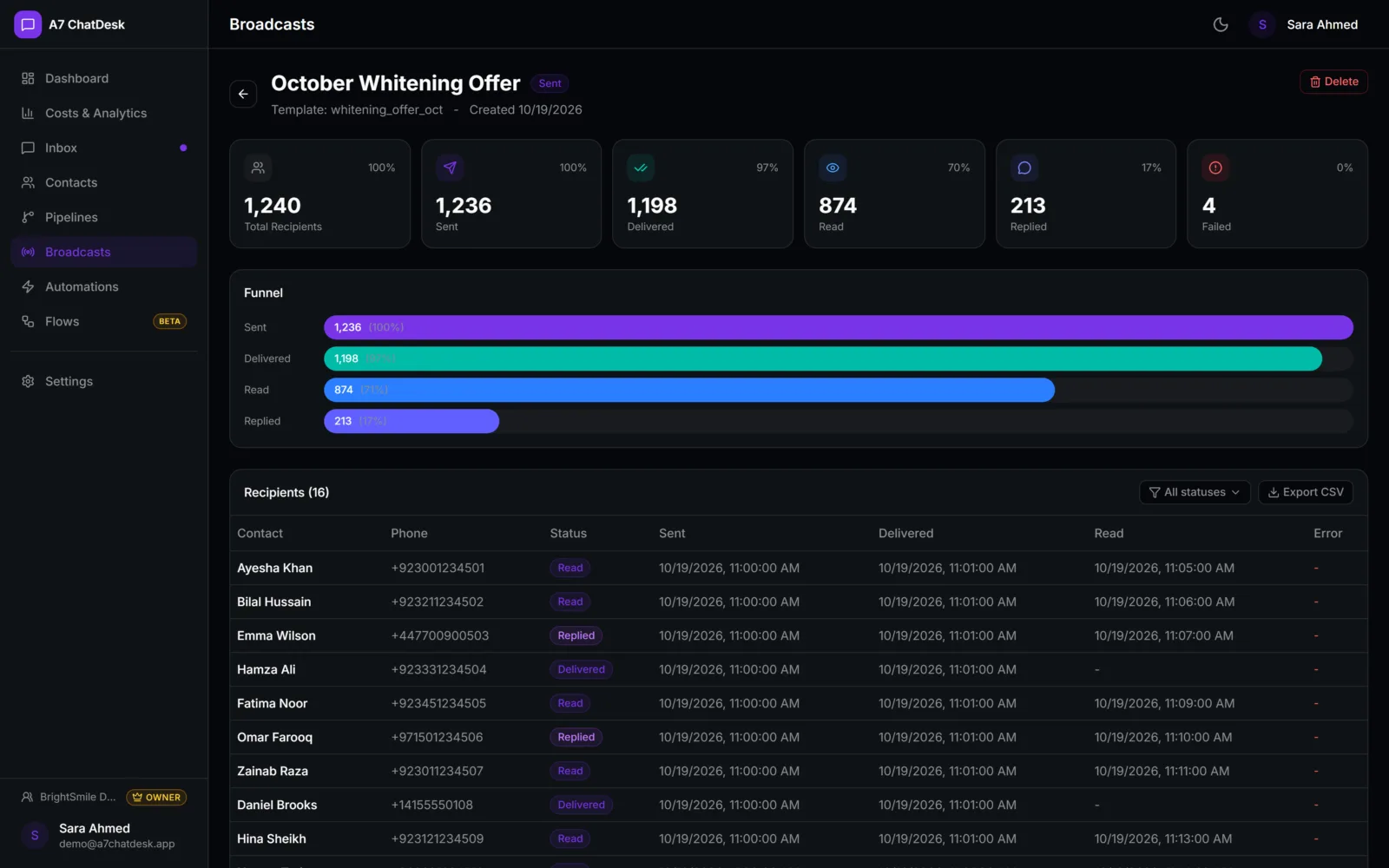
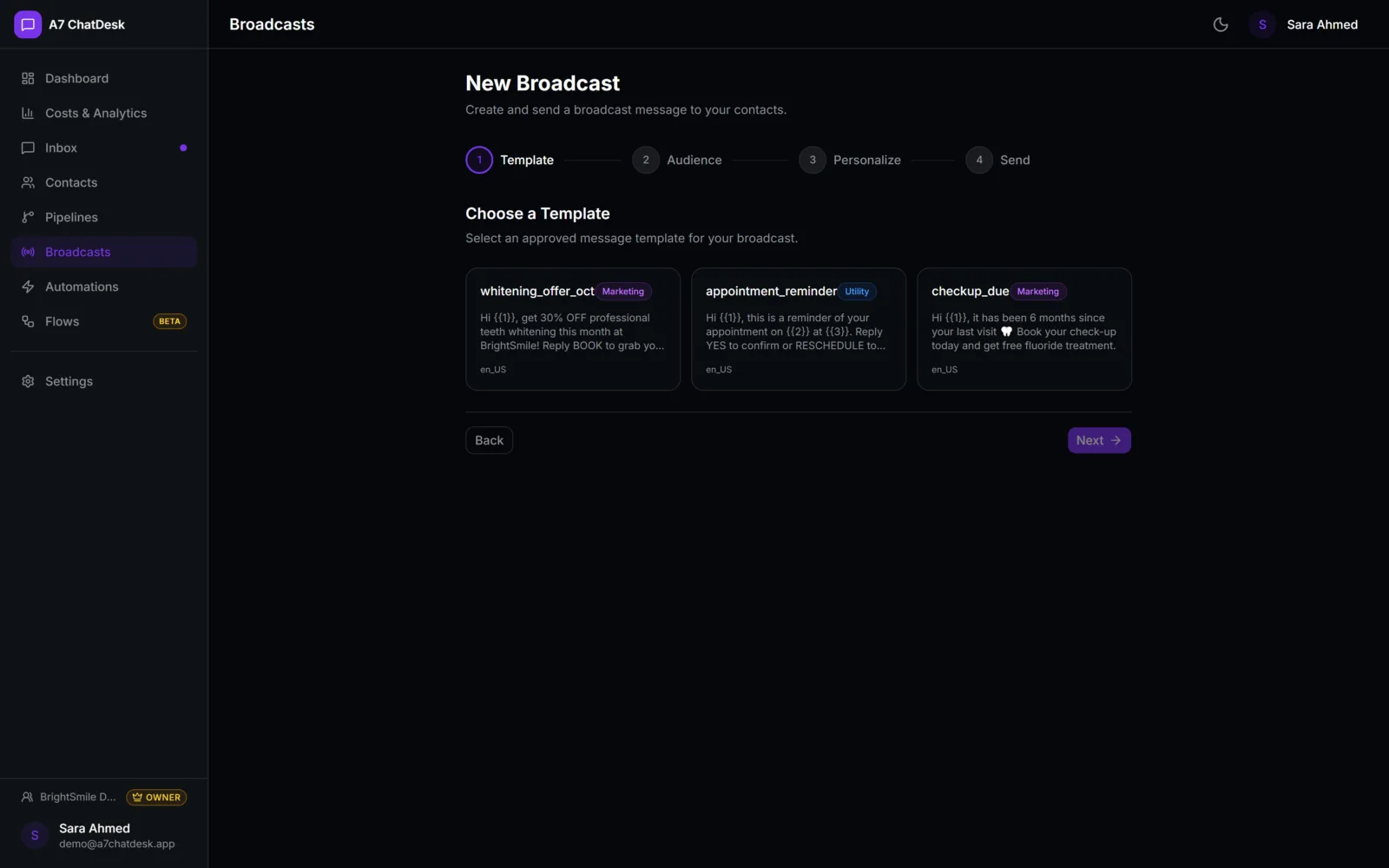
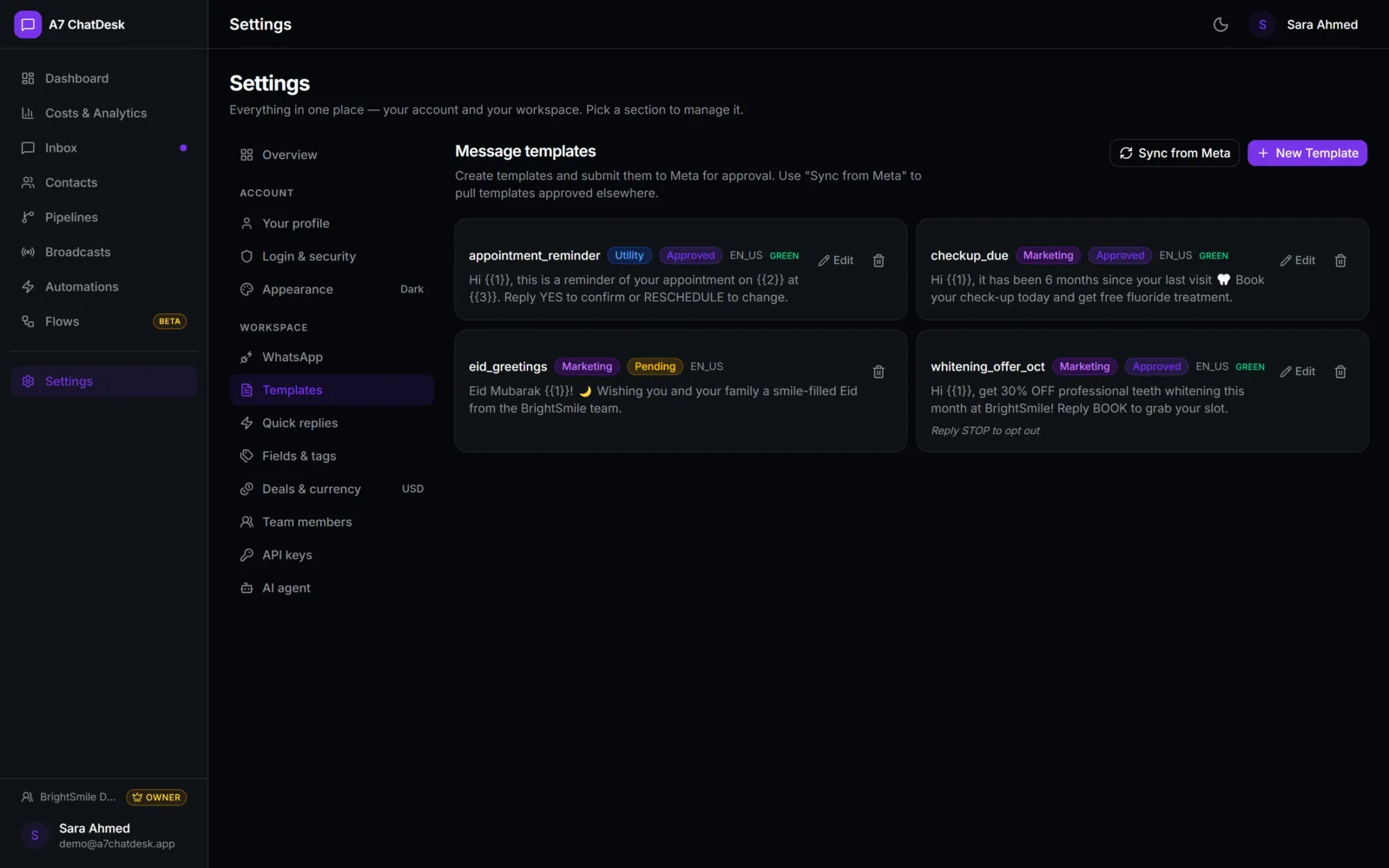
Send approved templates to tagged contacts and track reads.
Automations
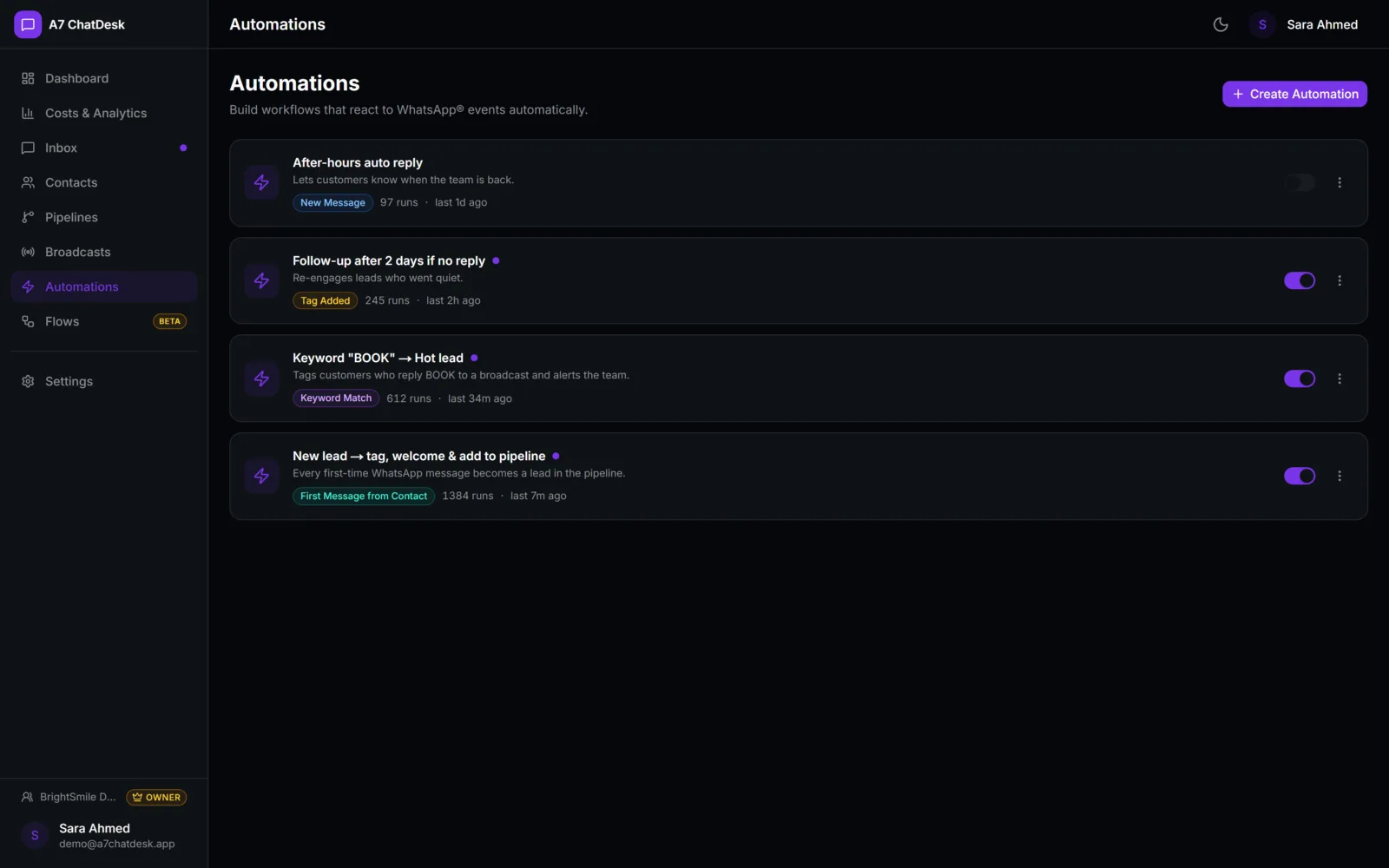
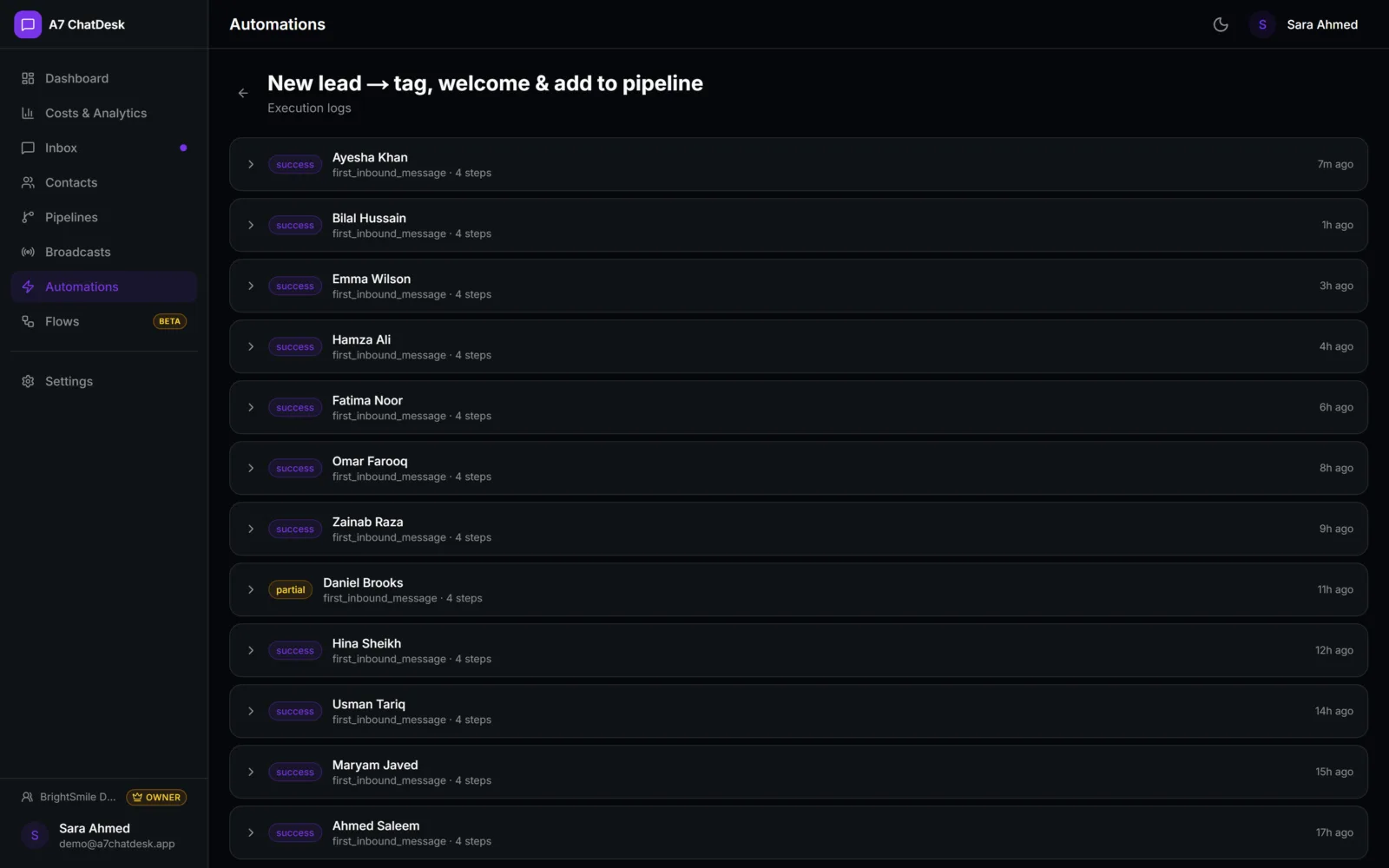
Welcome, out-of-office and follow-up messages run on their own.
Your data
Stored in your own database, with no per-seat fees.
How a message is handled
Every message, answered in the right order
Message arrives
Matched to an existing contact, or a new contact and chat are created.
Scripted flow
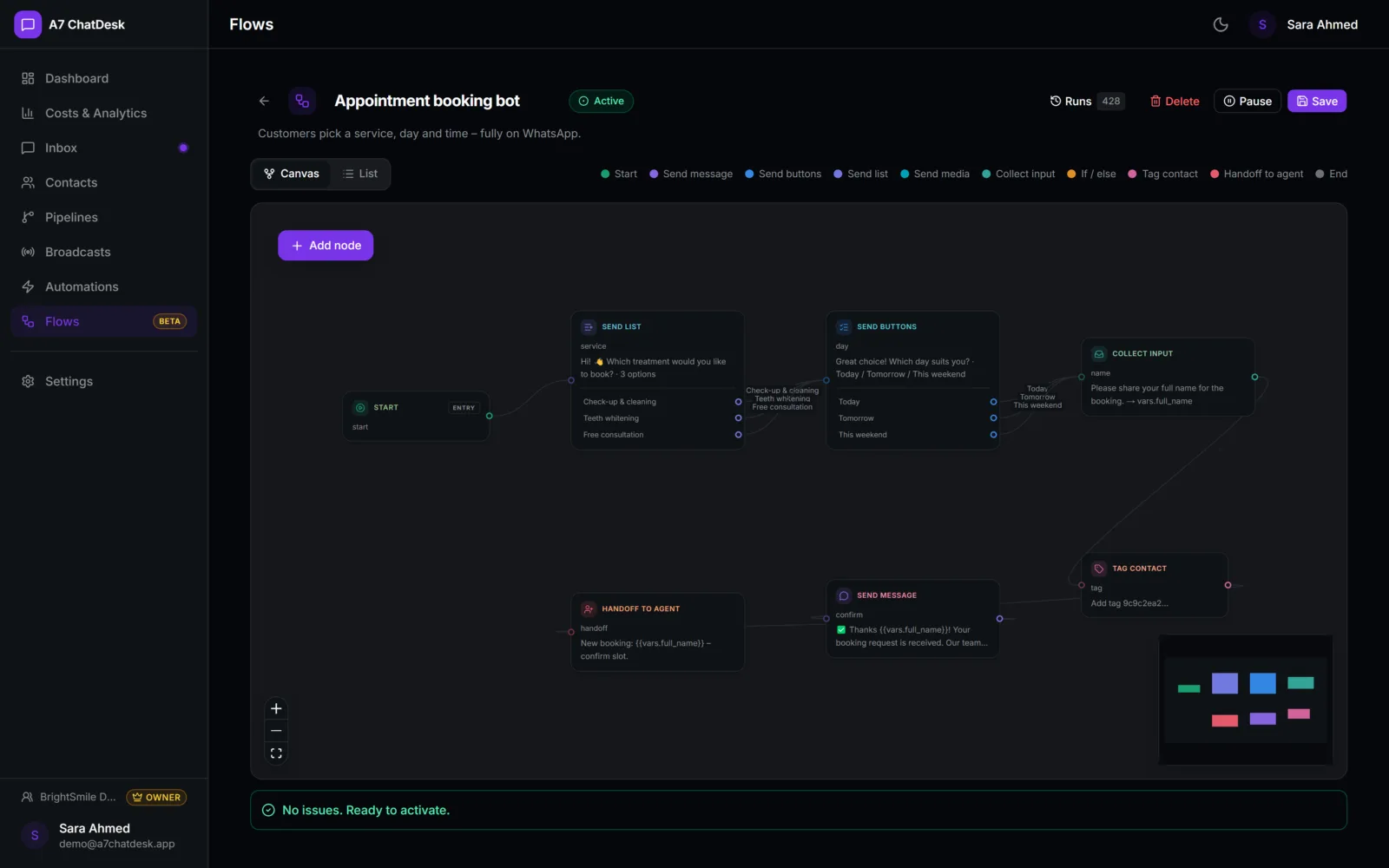
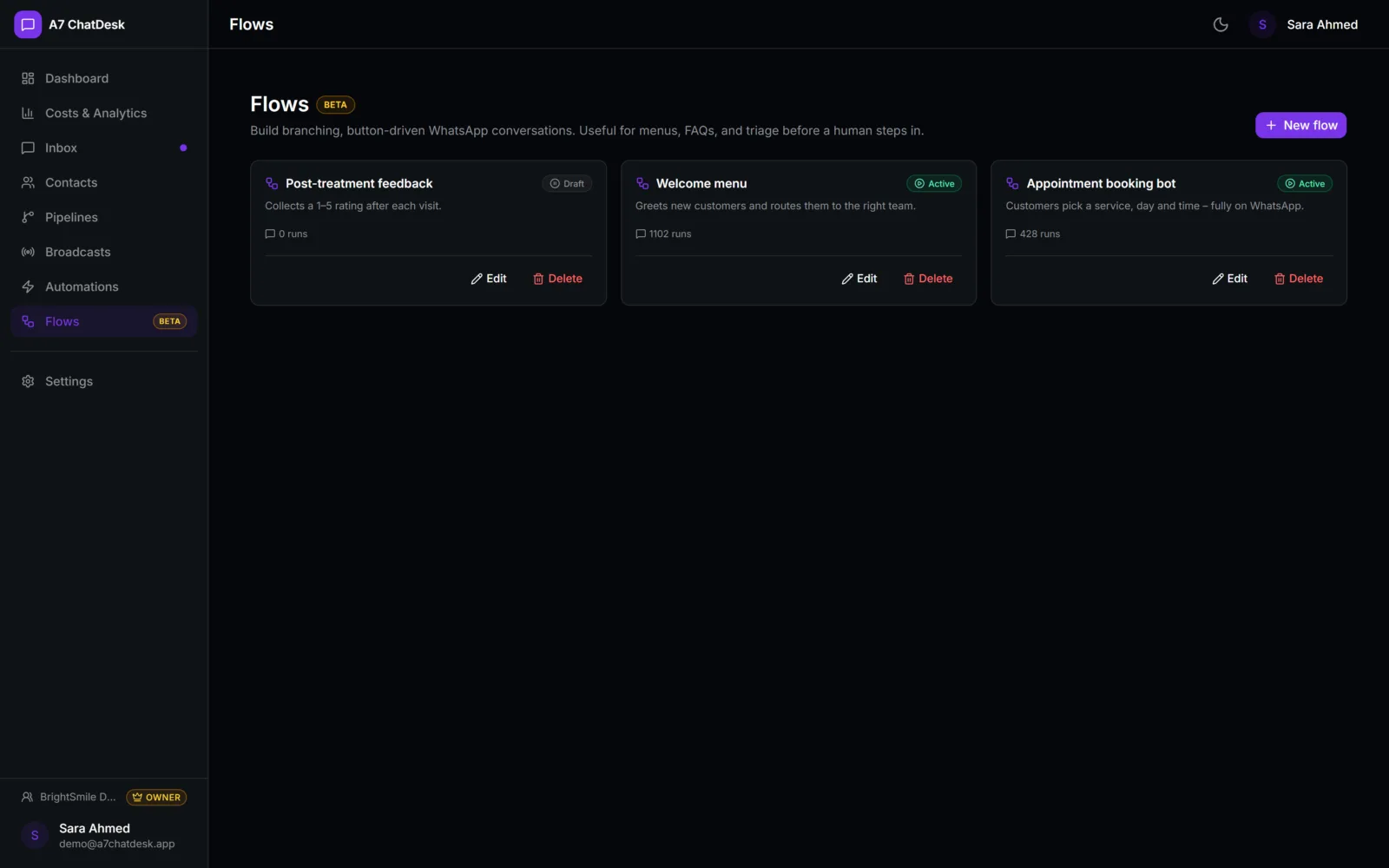
A menu, FAQ or lead-capture flow you built answers first.
AI agent
If no flow took it, the AI replies from your prompt and documents.
Automations
Tags, assignments, deals and follow-ups run next.
Your team
Agents see every message live and can step in at any time.
Your team can take over any chat at any time. Words like "human", "agent" or "support" pass the chat straight to a person.
Features
Everything you need
Shared inbox
Open, pending and closed chats with assignees, unread counts, quick replies (type /) and live updates for every agent.
Rich messages
Send text, images, video, documents and voice notes, reply to a specific message and sync emoji reactions.
Contacts
Tags, notes and custom fields, CSV import that skips duplicates, and merges that keep deals and chats attached.
Sales pipelines
Drag deals across stages next to the chat, with deal values and stage totals in your currency.
Broadcasts
Approved templates with per-person details, sent to tags or a CSV list, with sent, delivered and read per recipient.
Automations
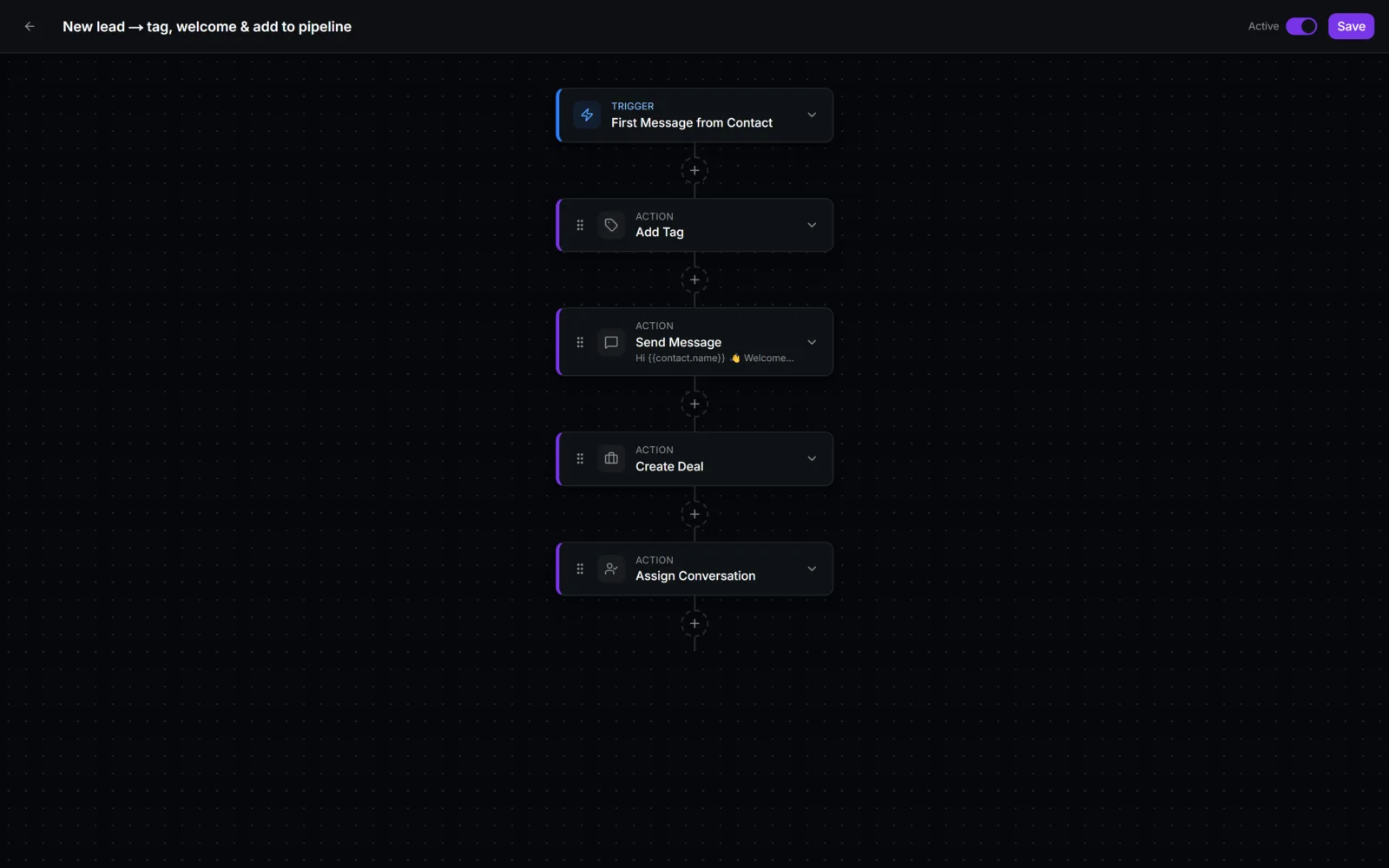
A visual builder: tag, assign round-robin, create a deal, call a webhook, wait, branch yes or no, and close the chat.
AI agent
OpenAI, Google Gemini or Anthropic with your own encrypted key, up to 50 knowledge documents, and voice-note replies.
Live dashboard
Open chats, new contacts versus yesterday, response times, deal value, daily volume and an activity feed.
Costs & templates
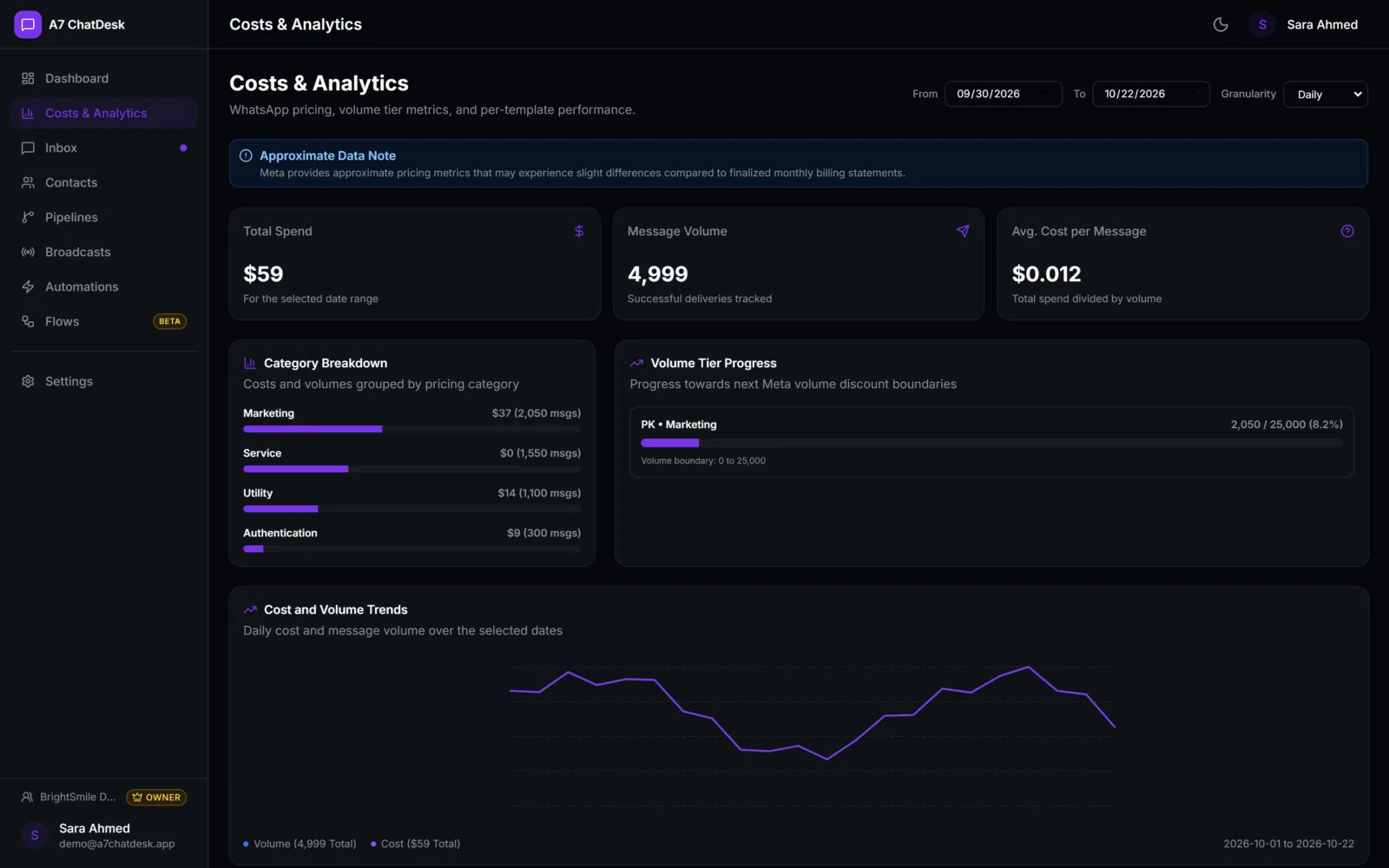
Create templates and track Meta approval, plus message costs by day, country and number once Meta enables analytics.
Pricing
Simple plans that grow with you
Starter
For a small team answering customers on one WhatsApp number.
Custom quote
- Shared inbox & quick replies
- Contacts with tags, notes & CSV import
- Sales pipeline & live dashboard
- Set up on your own hosting & database
- Email support
Business
For teams that sell and support on WhatsApp every day.
Custom quote
- Everything in Starter, plus:
- Broadcasts with approved templates
- Automations with ready-made templates
- AI agent with your knowledge documents
- Voice-note transcription & spoken replies
- Help with your WhatsApp Business setup
Enterprise
For brands that want the platform fully their own.
Custom quote
- Everything in Business, plus:
- Your brand, domain & colours
- Custom automations & webhook integrations
- Scripted bot flows set up for you (beta)
- Priority support
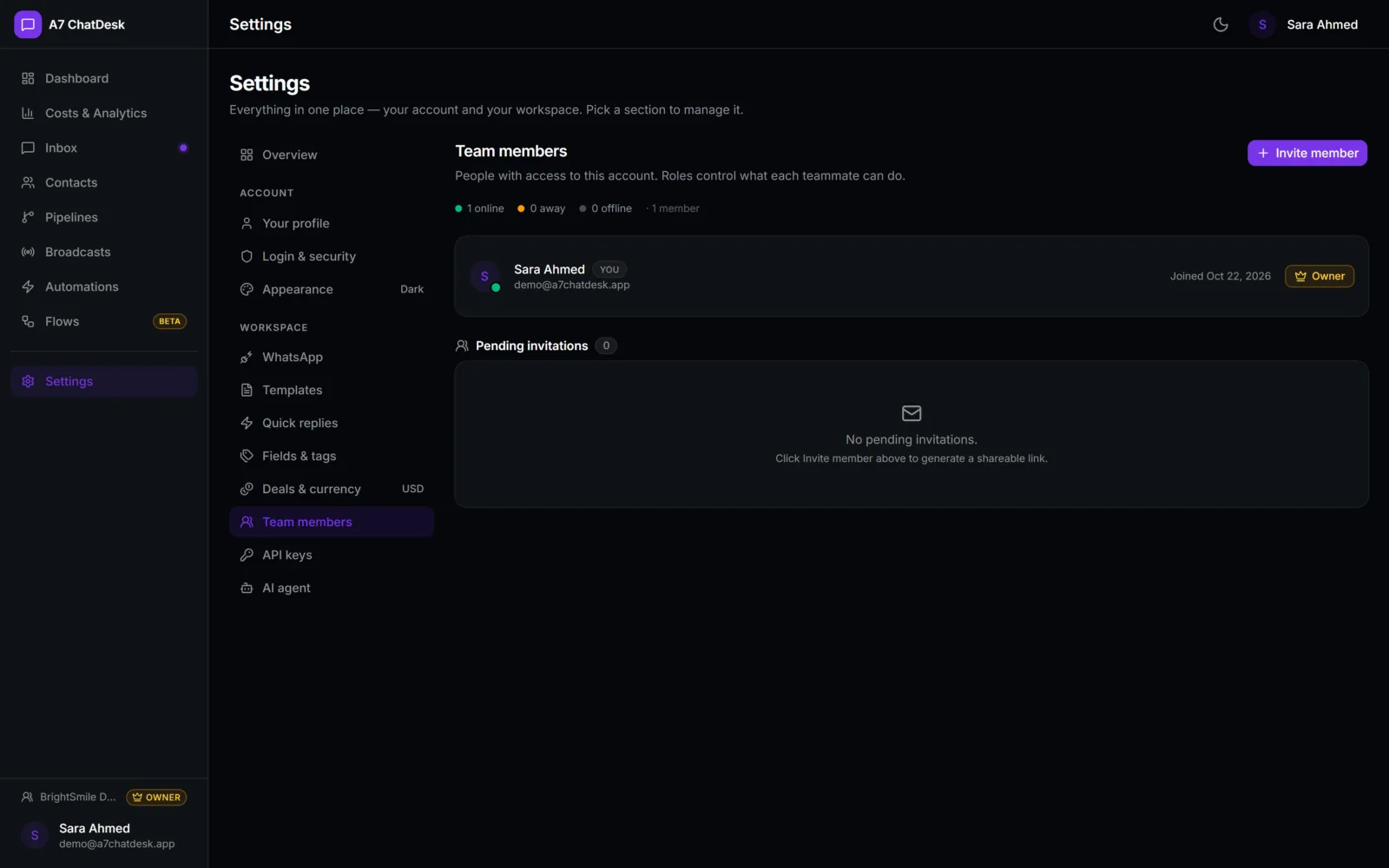
No per-seat fees: invite your whole team. WhatsApp message charges are billed by Meta.
Setup
From demo to go-live, we handle it
Step 1
Free demo
We show you A7 ChatDesk and learn how your team talks to customers.
Step 2
WhatsApp Business setup
We guide you through your Meta business account, number and display name approval.
Step 3
Install & connect
We install it on your own hosting and database and connect your number.
Step 4
Templates & automations
Quick replies, approved templates, a welcome message and your first automations.
Step 5
Go live
Your team is invited with the right roles and starts replying from one inbox.
FAQ
Questions, answered
Yes. Messages go through Meta's WhatsApp Cloud API, with approved templates, delivery and read receipts, buttons, lists and media. It does not depend on a phone or browser session staying logged in.
A Meta WhatsApp Business account for your business, a phone number for WhatsApp, a payment method on Meta and an approved display name. We guide you through each step.
No. There is no per-seat fee inside the product, so you can invite your whole team. Meta charges for WhatsApp messages, and you can see those costs by day, country and number on the Costs page.
You do. Everything is stored in your own database. Access tokens and AI keys are encrypted (AES-256-GCM), every account's data is kept separate, and messages from Meta are signature-checked.
Turn it on, choose OpenAI, Google Gemini or Anthropic and add your key. It answers open chats using your instructions, the recent conversation and up to 50 documents you upload. If a customer writes words like human, agent or support, it hands the chat to your team instead of replying.
Not yet. Today it replies and hands over to your team; deals are created by your agents or by an automation. Creating leads and follow-ups straight from the AI chat is the next step on the roadmap.
Yes. Incoming voice notes can be transcribed, and the AI can answer a voice note with a spoken reply, with a text reply as the fallback.
Broadcasts use your approved templates and go out in small batches (about 10 messages a second) from the browser tab that starts them, so keep that tab open until the campaign finishes. Ideal for everyday campaigns; very large lists simply take longer.
Flows (menus, FAQ bots and lead capture) are still in beta, so test them after every change. Automations are the dependable layer for welcome messages, out-of-office replies, tagging, assignment and follow-ups.
No. A7 ChatDesk is built for one channel, WhatsApp, done properly, with your CRM, broadcasts and AI around it.
Book a demo
See A7 ChatDesk with your business in mind
- 1Book your slotSend your name, email and a line about your business.
- 2We confirm within 24 hoursWe arrange a time that suits you.
- 3Live walkthroughWe show it using examples from your business.